CVE-2026-111497 on Vercel and Next.js: What the Brotli Bug Means for Your App
The Next.js Brotli vulnerability (CVE-2026-111497) explained for Vercel users: what Vercel patched, Node 20 fixes, self-hosting, and image optimization.

If you build with Next.js or deploy on Vercel, what many developers are calling the Next.js Brotli vulnerability (officially the Node.js flaw CVE-2026-111497) affects you in ways that general advisories don't spell out. Vercel published its own security bulletin for it, and the answer to "do I need to do anything?" depends on where your code actually runs: on Vercel's managed runtime, in a container you built yourself, or on a backend that sits behind Vercel.
This guide covers each case using Vercel's, Next.js's and Node.js's own documentation. It explains what Vercel has already done for you, what it can't do, and the specific Next.js features worth checking, including one line in Vercel's bulletin about image optimization that self-hosters shouldn't skip.
The short version
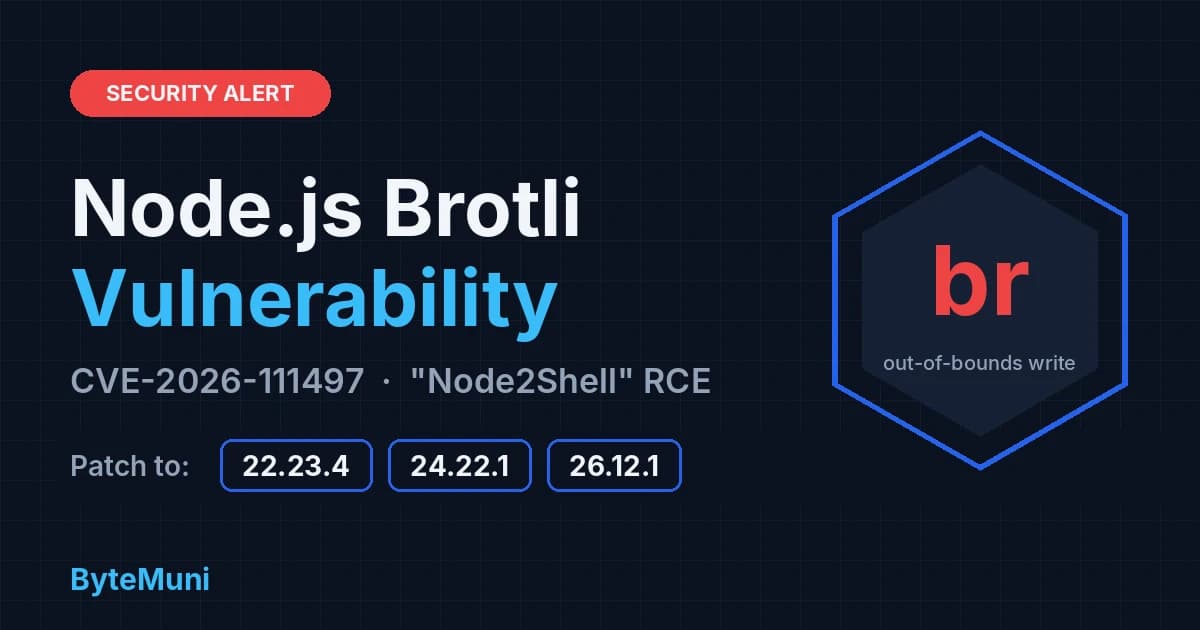
The bug: CVE-2026-111497 is an out-of-bounds write in the Brotli decoder bundled with Node.js. Vercel says researchers demonstrated memory disclosure and command execution in the Node.js process on unpatched 22.x, 24.x and 26.x.
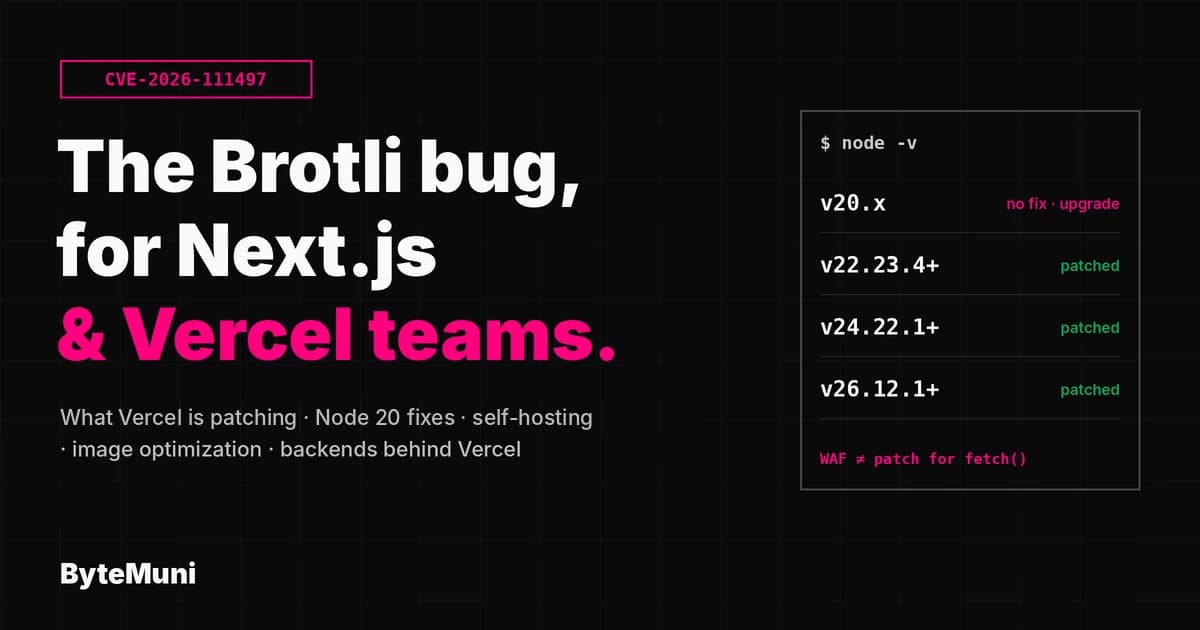
Fixed Node.js versions: 22.23.4, 24.22.1 and 26.12.1, released October 21, 2026. Node.js 20 is end of life and gets no fix.
On Vercel, Node.js 22.x or 24.x: no version change needed. Vercel manages patch versions and says it is rolling out the patched releases.
On Vercel, Node.js 20.x: switch to 22.x or 24.x and redeploy.
Self-hosted Next.js, containers, CI and external backends: upgrade Node.js yourself. Vercel says to do this "regardless of WAF protections."
Vercel's firewall blocks the inbound attack path, but not responses your functions fetch from other servers.
What is CVE-2026-111497?
CVE-2026-111497 is a memory-corruption flaw in Brotli, Google's compression format and the br in Content-Encoding: br. According to Vercel's bulletin, malformed Brotli input causes an out-of-bounds write during decoding. Execution runs with the permissions of the Node.js process.
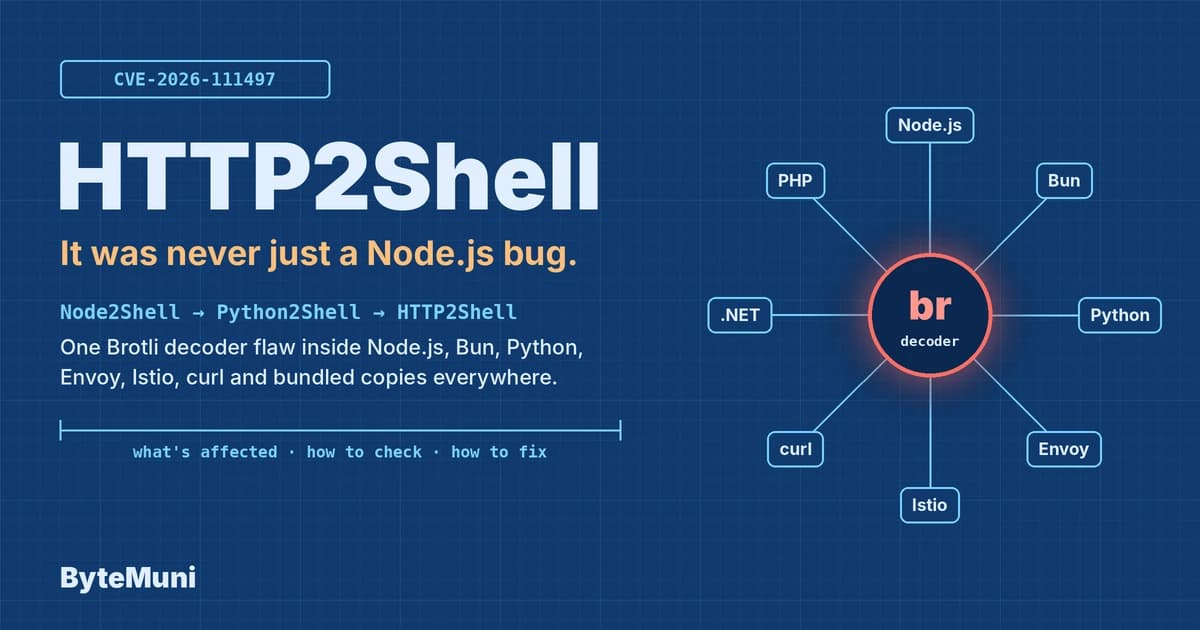
Vercel also stresses that the flaw is in the Brotli library itself, so any software bundling the same decoder is affected, not only Node.js. We cover that wider picture, including Python, Bun and Envoy, in our HTTP2Shell guide. The full Node.js detail, including pm2 and systemd upgrade traps, is in our Node2Shell breakdown.
The Node.js release that fixed it also fixes nine other issues, including two high-severity TLS hostname verification bypasses. Upgrading closes all of them at once.
Is my Next.js app exposed to the Brotli vulnerability?
Vercel's bulletin is clear on this point: Node.js does not decode Brotli data on its own. Your application is exposed when its code, or a library it uses, decompresses Brotli data an attacker controls. That happens in two directions.
Inbound: request bodies
Exposure here means an attacker sends a Brotli-compressed request body and something in your app decompresses it. For Next.js on Vercel, this is the path Vercel's firewall rules are designed to block. If you run a custom Express 5 server alongside Next.js, note that Express 5's body parsers decode Brotli request bodies by default.
Outbound: responses your server fetches
This is the path that matters most for Next.js apps, and the one no firewall can see. Node's built-in fetch() decompresses Brotli responses automatically. So any server-side code that fetches a URL someone else can influence is a possible delivery route. Vercel's bulletin puts it plainly: "Only the runtime patch covers fetched responses."
In a Next.js app, look at:
Route Handlers and Server Actions that call
fetch()on a user-supplied URL, such as link previews, URL importers, metadata scrapers and webhook sendersServer Components that fetch from third-party APIs you don't fully control
Image optimization on self-hosted Next.js (more on this below)
AI features that let a model or agent browse or fetch pages
What has Vercel already done?
According to Vercel's bulletin, two things.
1. Firewall rules, deployed on October 21. Vercel WAF rules detect and block exploitation attempts against this vulnerability. They apply to every project on Vercel automatically, at no cost, with no configuration, regardless of the runtime behind them. Blocked requests appear in your project's Firewall dashboard.
2. Patched Node.js on managed runtimes. Vercel says it is rolling the patched Node.js versions across its managed runtimes and will update the bulletin when that completes. Vercel's documentation confirms the general policy: only major versions are selectable, and Vercel "automatically rolls out minor and patch updates when needed, such as to fix a security issue."
What Vercel's firewall does not cover
Vercel is explicit about the limits:
The WAF covers traffic that passes through Vercel's network.
It does not cover responses your functions fetch from other servers.
It "reduces exposure but does not replace patching."
So the firewall protects you from the inbound attack, but the outbound path depends on the runtime update.
How do I fix the Next.js Brotli vulnerability on Vercel?
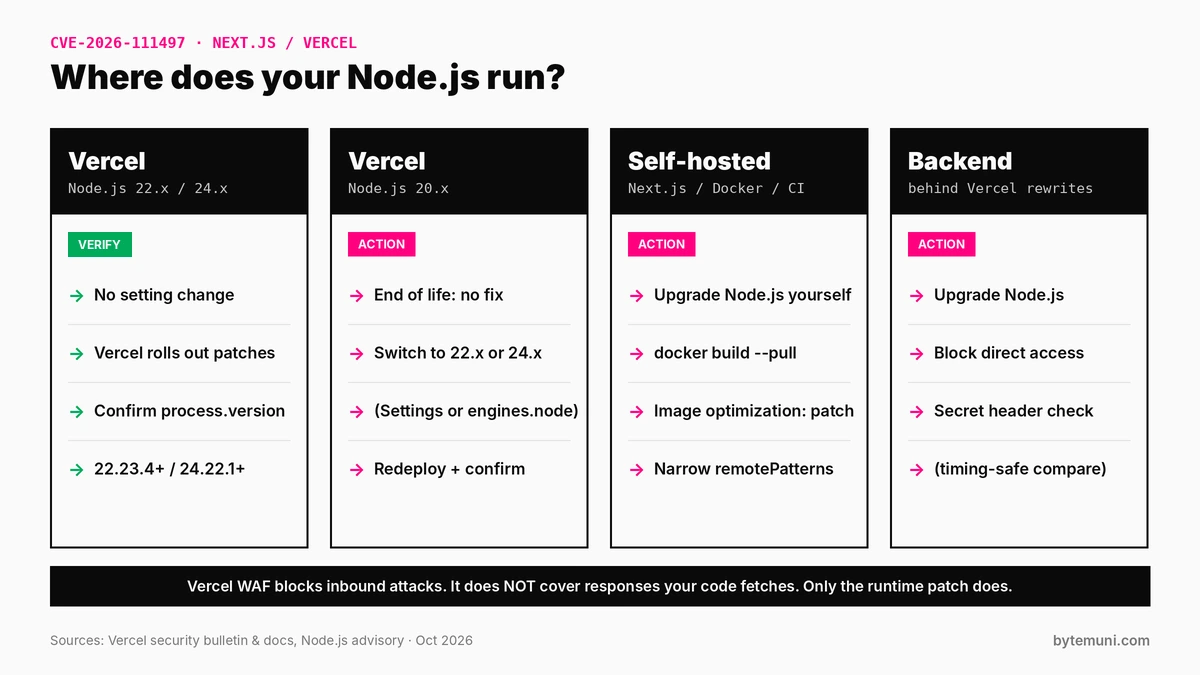
Where your Node.js runs decides what you need to do.
If your project uses Node.js 22.x or 24.x
You don't need to change your version setting. Vercel manages patch versions for these runtimes. Because the rollout was still in progress when Vercel published its bulletin, it's worth confirming the version your deployment actually runs. Vercel's docs suggest two ways: run node -v in your Build Command, or log process.version.
A quick temporary Route Handler does the job. Remove it once you've checked:
// app/api/node-version/route.ts  (temporary: delete after checking)
export async function GET() {
  return Response.json({ node: process.version });
}
You're looking for v22.23.4 or later on 22.x, or v24.22.1 or later on 24.x. If you see an older patch version, redeploy and check again.
If your project still uses Node.js 20.x
You must move to 22.x or 24.x and redeploy. Node.js 20 reached end of life on April 30, 2026, and won't receive this fix.
Vercel had already scheduled this. In a July 14, 2026 changelog it announced that Node.js 20 would be deprecated for Builds and Functions on October 1, 2026. After that date, Node.js 20 can't be selected in Project Settings, and new deployments of projects still set to it show an error. Deployments made before the cutoff keep running, which is exactly why some live projects may still be on the old, unfixed runtime.
To find affected projects, Vercel's changelog points to the CLI:
vercel project ls --update-requiredThen change the version in either place:
Project Settings: open your project, go to Settings → Build and Deployment → Node.js Version, and pick 22.x or 24.x.
package.json: theengines.nodefield overrides Project Settings.
{
  "engines": {
    "node": "24.x"
  }
}
Per Vercel's docs, 24.x, ^24.0.0 and >=22.0.0 all deploy the latest 24.x release, while 22.x and ^22.0.0 deploy the latest 22.x. Commit, redeploy, then confirm with process.version as shown above.
Before switching, run your test suite on the new major version locally. A jump from 20 to 24 can surface dependency or native-module issues that are better caught before production.
What if I self-host Next.js?
Self-hosted apps carry the most risk from the Next.js Brotli vulnerability, because Vercel's managed runtime updates don't reach servers you run yourself. Vercel's bulletin lists the places to update: external backends, self-hosted Next.js, container images you build yourself, CI runners and local development.
Upgrade Node.js and rebuild your images
For Docker-based deployments, rebuild on a patched base image and redeploy. Pull the base image fresh so you don't reuse a cached, unpatched layer:
docker build --pull -t my-next-app .
docker run --rm my-next-app node -v   # expect v22.23.4+, v24.22.1+ or v26.12.1+
If your Dockerfile pins an exact old version, such as FROM node:24.22.0-alpine, rebuilding alone won't help. Move the pin forward. Our Docker rollout checklist covers confirming that the running container, not just the image, has the new version.
Why image optimization matters
Vercel's bulletin includes one Next.js-specific sentence: "Next.js does not block Brotli responses in image optimization." When a self-hosted Next.js server optimizes a remote image, it fetches that image from another server. If that server sends a malicious Brotli response, the unpatched decoder processes it. The fix, per Vercel, is to upgrade Node.js, not to change Next.js.
Until every server is patched, it also helps to keep your allowed remote image sources tight. Next.js only optimizes remote images from hosts you list in images.remotePatterns, so a narrow list limits which servers can reach this path. Prefer specific hostnames over broad wildcards:
// next.config.js
module.exports = {
  images: {
    remotePatterns: [
      {
        protocol: 'https',
        hostname: 'images.your-cdn.com',
        pathname: '/uploads/**',
      },
    ],
  },
};
This narrows exposure to the Next.js Brotli vulnerability but doesn't remove it: a trusted image host could still be compromised. Patching Node.js is the actual fix.
Other platforms
If you deploy Next.js elsewhere, such as another serverless platform, a VPS or Kubernetes, the same rule applies: check your provider's advisory, and confirm the running Node.js version by logging process.version from a deployed function or server.
What about external backends behind Vercel?
Backends are an easy place to miss the Next.js Brotli vulnerability. Many teams use Vercel as the front door and proxy API traffic to a separate Node.js backend using rewrites. Vercel's advice for those servers has two parts:
Upgrade Node.js on those servers. Vercel's runtime updates don't touch them.
Restrict direct access so traffic reaches them only through Vercel. Otherwise an attacker can skip Vercel's firewall entirely by hitting your backend's address directly.
Vercel's documented method is a secret header that Vercel adds to every proxied request, and that your origin checks. In outline, from Vercel's rewrites documentation:
Generate a long random value, for example with
openssl rand -hex 32.Add it to your Vercel project as an environment variable, such as
ORIGIN_SECRET.Use a
routestransform invercel.jsonto set the header on requests rewritten to your origin.At your origin or load balancer, reject any request where the header doesn't match. Use a timing-safe comparison in application code.
{
  "$schema": "https://openapi.vercel.sh/vercel.json",
  "routes": [
    {
      "src": "/(.*)",
      "dest": "https://origin.example.com/$1",
      "transforms": [
        {
          "type": "request.headers",
          "op": "set",
          "target": { "key": "x-origin-secret" },
          "args": "$ORIGIN_SECRET",
          "env": ["ORIGIN_SECRET"]
        }
      ]
    }
  ]
}
On the origin side, a check in Node.js might look like this:
import { timingSafeEqual } from 'node:crypto';

function isFromVercel(req) {
  const expected = Buffer.from(process.env.ORIGIN_SECRET ?? '');
  const received = Buffer.from(req.headers['x-origin-secret'] ?? '');
  return expected.length > 0 &&
         expected.length === received.length &&
         timingSafeEqual(expected, received);
}
Vercel notes that because the transform uses set, it replaces any existing value, so a visitor can't supply their own header to get through. To rotate the secret, have your origin accept both the old and new values, update the environment variable, redeploy, then remove the old value.
Should I also update Next.js itself this month?
Yes, but for a different reason. The Next.js Brotli vulnerability is fixed by updating Node.js, not Next.js. Separately, Next.js shipped an out-of-band security release on October 14, 2026, and if you're already opening a maintenance window, it makes sense to cover both. According to the Next.js team's announcement, the fixed versions are 16.4.1 (Active LTS) and 15.5.28 (Maintenance LTS):
GHSA-673q-mjm6-r5xr (Critical): unauthenticated remote code execution in App Router apps using Cache Components when a
use cachefunction returns multiple typed arrays. No known workaround. Next.js advises upgrading even if your app has no such functions.CVE-2026-96889 / GHSA-2464-fhr4-w9xw (Critical): remote code execution in the Image Optimization API with SVG, caused by a memory flaw in an upstream library when Next.js runs on glibc-based Linux. The workaround is to make sure Next.js uses
sharp0.35.5 or later; upgrading Next.js pulls in a fixedsharpautomatically.GHSA-p3m5-59mp-jv5r (High): denial of service in App Router apps with at least one Server Action. Pages Router apps, and apps without Server Actions, aren't affected.
npm install next@16.4.1   # for 16.4
npm install next@15.5.28  # for 15.5
These are separate vulnerabilities from CVE-2026-111497, and the Brotli fix doesn't depend on them. Applying both closes two unrelated sets of critical bugs in one deployment.
Next.js Brotli vulnerability checklist for Vercel teams
Vercel, Node.js 22.x / 24.x: no setting change; confirm
process.versionshows 22.23.4+ or 24.22.1+.Vercel, Node.js 20.x: run
vercel project ls --update-required, switch to 22.x or 24.x, test, redeploy, confirm.Firewall: check your project's Firewall dashboard for blocked requests.
Self-hosted Next.js and containers: rebuild on a patched Node.js image with
--pull, redeploy, confirmnode -vin the running container.Image optimization (self-hosted): upgrade Node.js; keep
images.remotePatternsnarrow.Server-side
fetch()of user-supplied URLs: patch the runtime first. This path isn't covered by any firewall.External backends behind Vercel: upgrade Node.js and restrict direct access with a secret header.
CI runners and local machines: upgrade Node.js there too.
Next.js itself: update to 16.4.1 or 15.5.28 for the separate October 14 fixes.
The bigger lesson
The Next.js Brotli vulnerability is a useful test of what a managed platform can and can't do. Platforms like Vercel can absorb a lot of security work for you: firewall rules on day one, runtime patches without a config change. But this vulnerability shows where that stops. A firewall only sees traffic coming in, and a managed runtime only covers code running on that platform. Your self-hosted servers, containers, CI runners and backends are still yours to patch.
The good news for most Vercel users on a current Node.js version is that the Next.js Brotli vulnerability needs very little action beyond confirming the version. If you're on Node.js 20, self-host Next.js or run backends outside Vercel, treat this as the push to upgrade. If you're new to how Next.js and Node.js fit together, our guide to building modern apps with React and Node.js is a good primer.
Sources: Vercel: Node.js security advisory (CVE-2026-111497) · Vercel: Supported Node.js versions · Vercel: Node.js 20 deprecation · Vercel: Restricting your origin to Vercel traffic · Node.js October 2026 security releases · Next.js: Security update, October 14, 2026
Frequently asked questions
What is the Next.js Brotli vulnerability?
It’s CVE-2026-111497, an out-of-bounds write in the Brotli decoder bundled with Node.js. Next.js apps are affected because they run on Node.js. The fix is upgrading Node.js to 22.23.4, 24.22.1 or 26.12.1.
Do I need to update Next.js to fix CVE-2026-111497?
No. This bug is fixed by updating Node.js, not Next.js. Next.js did release separate security fixes on October 14, 2026 in versions 16.4.1 and 15.5.28, which are worth applying too.
Is my app on Vercel already protected?
If your project uses Node.js 22.x or 24.x, Vercel manages patch versions and is rolling out the fix, so no setting change is needed. To confirm, log process.version and check for 22.23.4+ or 24.22.1+.
What should I do if my Vercel project uses Node.js 20?
Switch to Node.js 22.x or 24.x in Project Settings or in the engines.node field of package.json, then redeploy. Node.js 20 is end of life and won’t receive this fix.
Does Vercel’s firewall fully protect me?
No. Vercel’s WAF blocks inbound attack attempts, but it doesn’t cover responses your functions fetch from other servers. Only the Node.js runtime patch covers that path.
I self-host Next.js. What do I need to do?
Upgrade Node.js on your servers and rebuild your container images on a patched base. Vercel notes that Next.js image optimization doesn’t block Brotli responses, so self-hosted apps that optimize remote images need the Node.js update.